Our website uses TWO different types of accounts:
- Shop Account
- Support Account
Our Shop platform (realitone.com) is separate to our Support platform (realitone.freshdesk.com).
Creating or editing your Support account will not have an effect on your Shop account, and vice versa.
Shop Account
Your Shop account is where your order history and downloads are managed. It does not carry over to the support platform.
It uses your email address to identify you and find your orders, and is created automatically the first time you log in.
Logging in
You log in by clicking the Account icon from the Shop page's menu bar: 
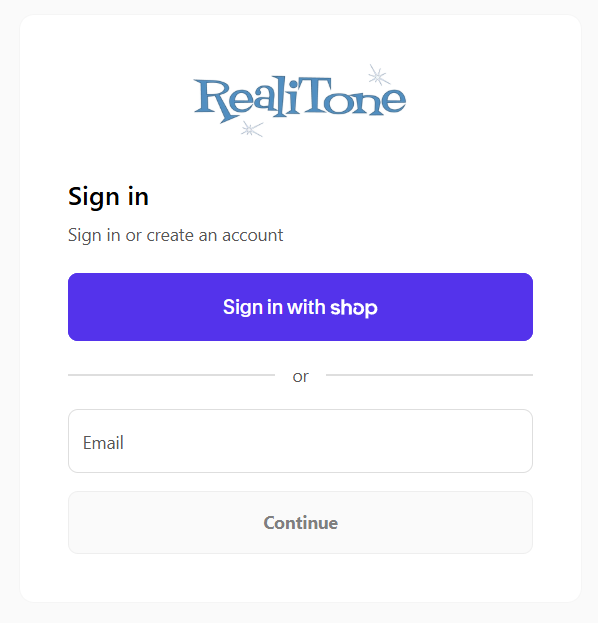
Log in with your email address, and a verification code will be sent to your mobile number (or email address) that acts as a one-time password.
❗There are no permanent passwords associated with your Shop account.
The login form looks like this:
Can I change my account's email address?
You can change your Shop account's email address once you are logged in, but only if the new email address is unused within the Shop platform.
If you need to merge two accounts or transfer orders from one account to another, contact our support team and they will manually merge your accounts.
Support Account
A Support Account is not necessary, but offers the ability to track your Support Tickets, if submitted via our Support page.
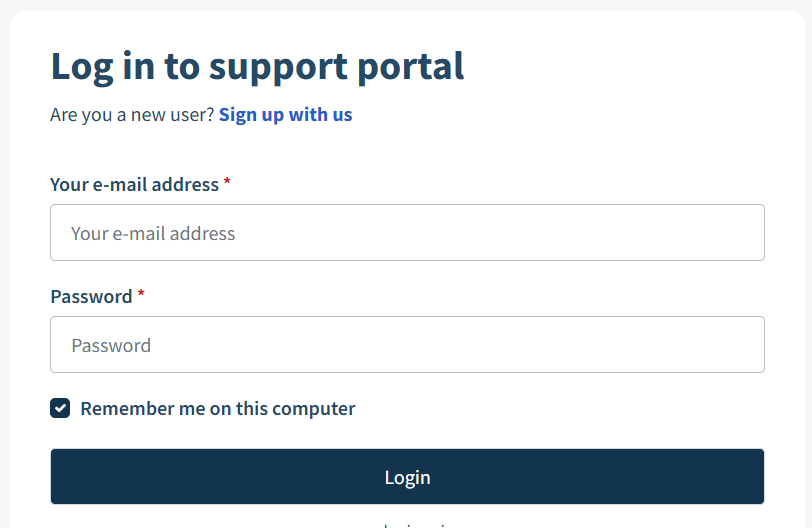
These accounts use the traditional email + password format.
The login form looks like this:
Was this article helpful?
That’s Great!
Thank you for your feedback
Sorry! We couldn't be helpful
Thank you for your feedback
Feedback sent
We appreciate your effort and will try to fix the article